
Where to go
Account setup → Tell us about your business
Before you start
Gather a short business description, your main services or products, and a simple picture of your customers.
Step by step
-
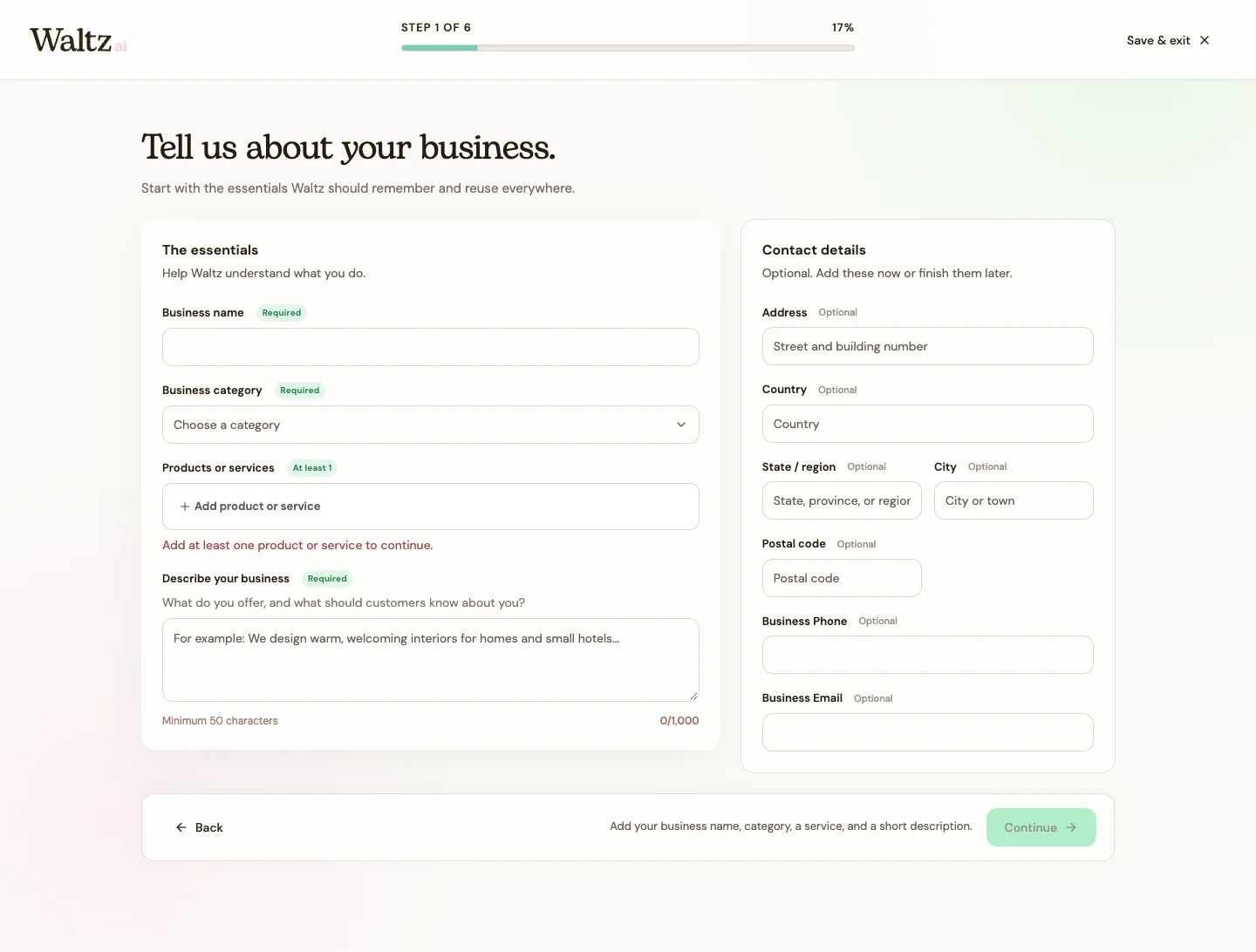
Enter your Business name and choose a Business category. If none fits, choose Other and describe your category.
-
Add at least one Product or service. Use names your customers understand, such as “Kitchen design” or “30-minute consultation.”
-
Write a business description of at least 50 characters. Explain what you offer and who you help. You have up to 1,000 characters.
-
Add optional contact and address details if you have them ready. You can finish these later in Settings → Business profile.
-
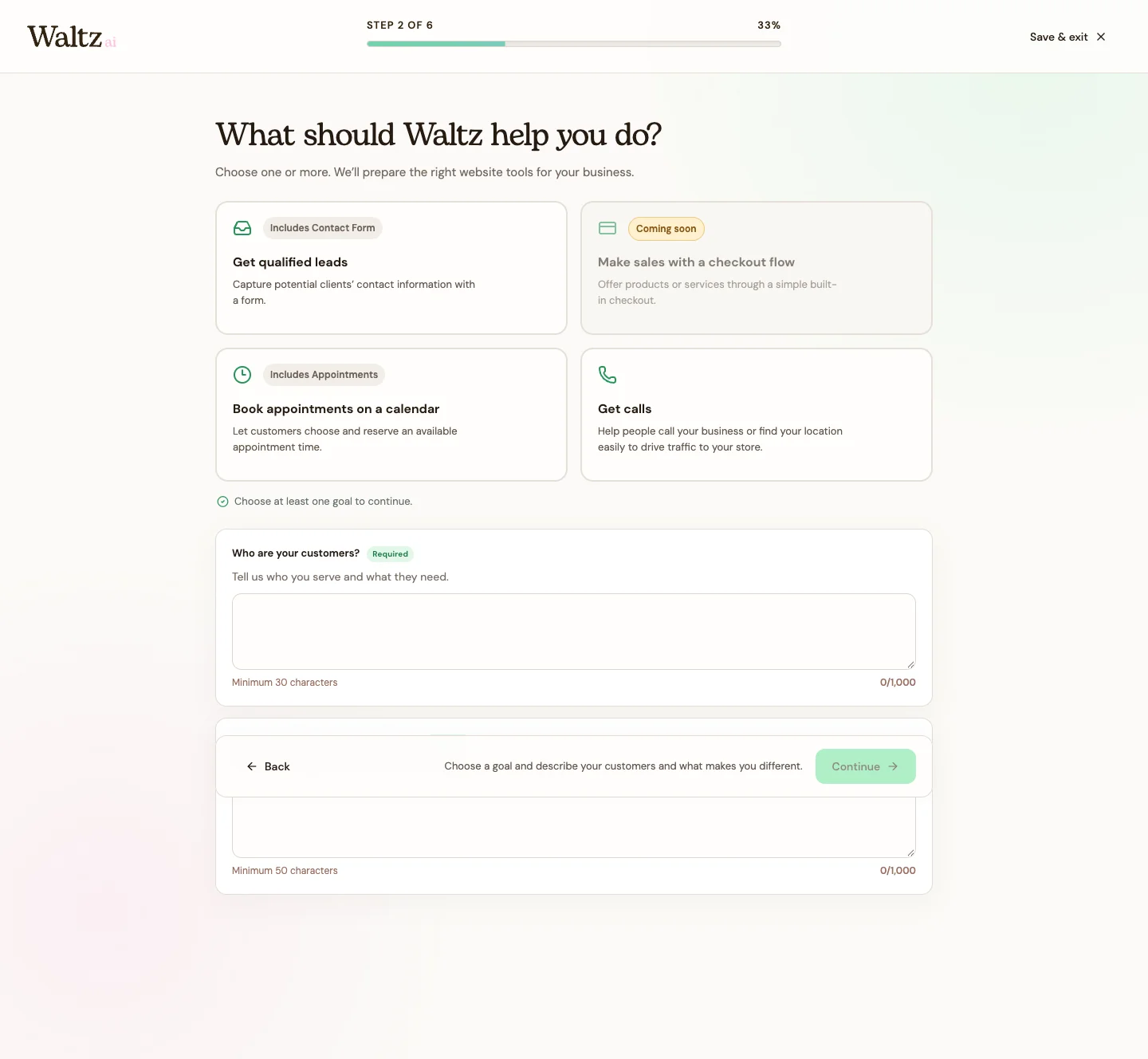
Continue to your goals. Select at least one available goal, describe your audience in at least 30 characters, and explain what makes your business different in at least 50 characters.
See the steps
Use these views to find the controls as you follow the guide.
What happens next
Waltz has a business profile, a goal, and enough context to guide your brand choices.
Helpful tips
-
Example description: “We design practical, welcoming interiors for families and small businesses in our city.”
-
If Continue is unavailable, check the required fields and the character-count hints. You do not need to fill every optional field.