
Where to go
Create an account
Before you start
Have an email address you can access. Your account email can be different from the public email customers use to contact your business.
Step by step
-
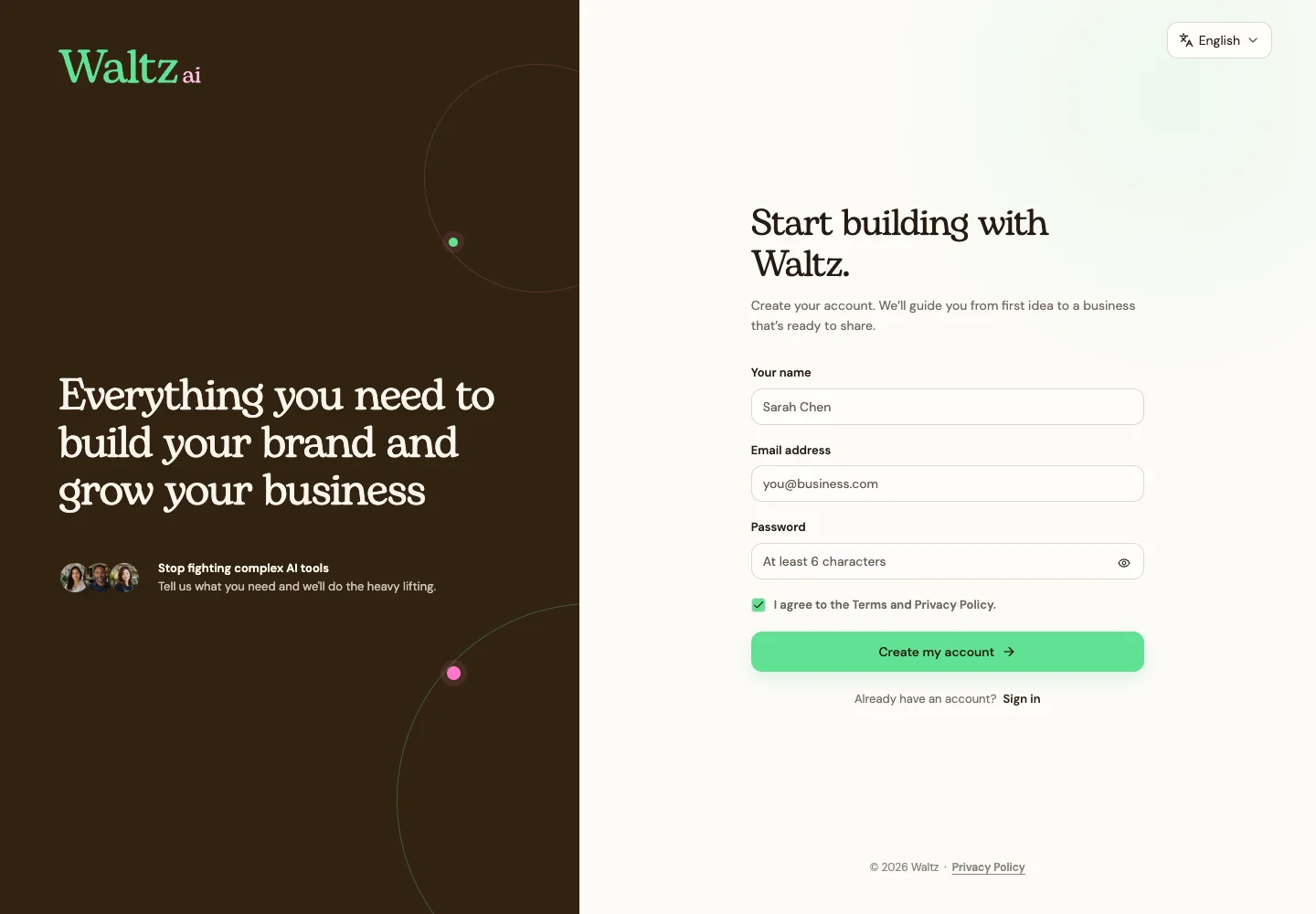
Open Waltz and choose Create an account.
-
Enter your name in Your name. Use the name you want to see in your account.
-
Enter your Email address and choose a password you use only for Waltz. Use at least six characters.
-
Use the eye icon if you want to check what you typed. Review the Terms and Privacy Policy before agreeing.
-
Choose Create my account. You’ll move to the business setup steps.
-
Keep an eye on the email-validation notice. Follow Validate your email before activating a paid plan.
See the steps
Use these views to find the controls as you follow the guide.
What happens next
The business setup screen opens so you can introduce your business to Waltz.
Helpful tips
-
Already started? Use Sign in instead of creating a second account.
-
If the form asks you to complete your details, check your name, email, and password.