
Where to go
Website → SEO & Sharing
Before you start
Have a short website title, a clear description, a small site icon, and a suitable sharing image ready.
Step by step
-
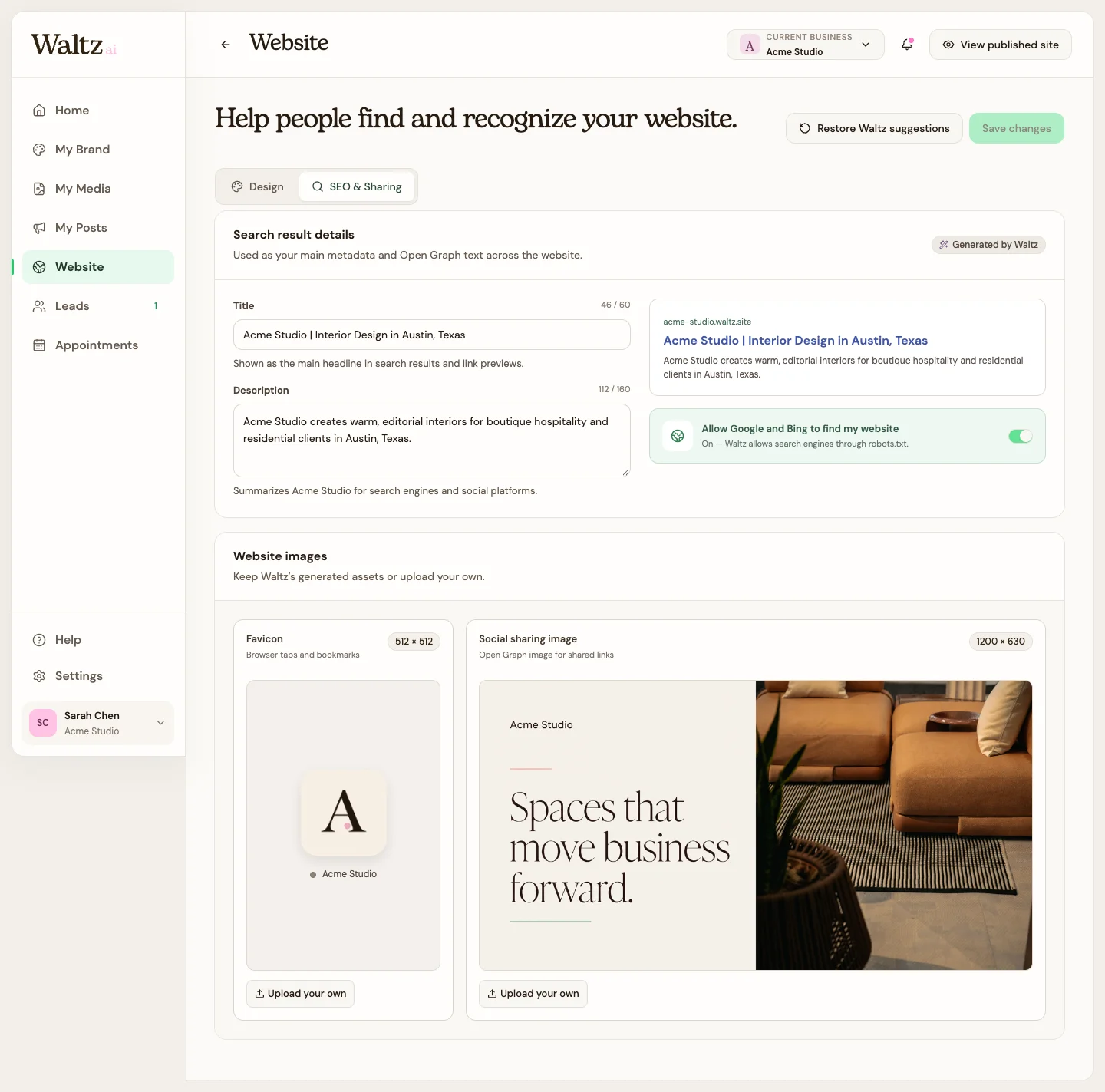
Open SEO & Sharing. Set the website title to your business name and what you offer.
-
Write a description that tells visitors who you help and what they can do on your site. Example: “Interior design for welcoming homes and small businesses. Explore our work and ask about your project.”
-
Review the search preview and the option Allow Google and Bing to find my website. Leave it on when you want a public site to be eligible for discovery.
-
Replace the site icon (favicon) and sharing image if needed. Each upload can be up to 20 MB.
-
Choose Save changes. Use Restore Waltz suggestions only if you want to return these fields to their suggested starting values.
See the steps
Use these views to find the controls as you follow the guide.
What happens next
Your search and sharing settings have saved values for you to review.
Helpful tips
-
The title and description should match the page people will reach.
-
Allowing discovery does not guarantee indexing or a particular search ranking.
-
A favicon is the small icon beside a browser tab; a sharing image is the larger picture that can appear with a shared link.